Air Hockey Online 2 Player🏒Air Hockey
Fast pucks, faster reflexes.
Play online with a friend
Create a room and share the code, or enter a code you were given. Connections are peer-to-peer, no account needed.
About Air Hockey
Slide your mallet to smash the puck into your opponent's goal. Play against the AI, a friend on the same screen, or online with a room code. First to seven wins.
Controls
- ▸Drag with mouse or finger to move your mallet
- ▸Keyboard: WASD (P1) / Arrows (P2)
- ▸P or Esc to pause
- Difficulty
- ★★★★★
- Session
- ~4 min
- Plays
- 0
- Time played
- 0 min
How to play Air Hockey
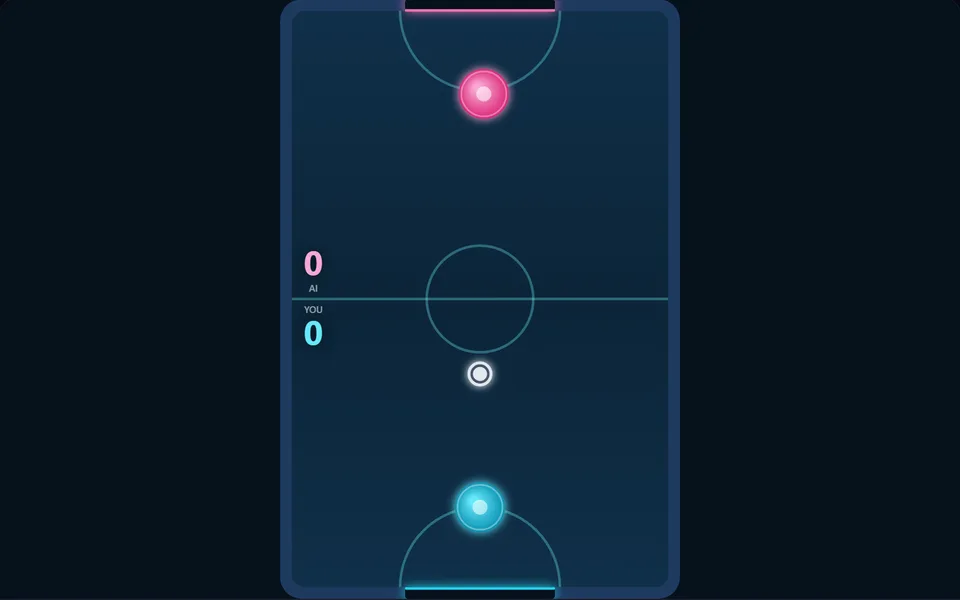
Play the computer, a friend on the same screen, or a friend online by creating a room and sharing its code. Your mallet is the round paddle in the bottom half of the table, and it cannot cross the centre line. Drag it with the mouse or a finger, or use the keyboard, and strike the puck into the goal at the top.
Each goal is worth one point, and the first player to seven wins. After a goal the puck is placed on the side of the player who conceded, so they serve next. The puck rebounds off the side rails and slowly loses speed, and a fast-moving mallet hits it much harder.
Tips
- ▸Swing through the puck. A still mallet only blocks it, while a quick strike sends it flying.
- ▸Use the side rails for bank shots. A puck coming in at an angle is harder to stop than one aimed straight at goal.
- ▸The goal is only the middle part of the end wall, so when the puck is on the far side, pull back and guard the centre.
- ▸Don't chase the puck into the corners. Stay between the puck and your goal.
Air Hockey FAQ
- How do I play air hockey online with a friend?
- Open the multiplayer panel, create a room and send your friend the five-character code or the invite link. The match starts when you are both in.
- What happens if my online opponent leaves?
- The computer takes over their mallet and the match carries on.
- Which keys do two players use on one keyboard?
- Player 1 at the bottom uses WASD and player 2 at the top uses the arrow keys. Either mallet can also be dragged on its own half.